AERONET Instrument Troubleshooting Interface - Solutions for HIGH DARK CURRENT Flag
Description Dark current is the small electrical signal that a photodetector produces even when no light is reaching it, caused by thermally generated charge carriers. In a sun photometer, dark current readings are taken with the filter wheel in the blocked position and are subtracted from subsequent light measurements to correct for this baseline offset. If dark current is abnormally high, the subtracted offset becomes large and noisy, degrading the accuracy of every optical measurement. Elevated dark current in a Cimel is typically caused by a degraded sensor head cable, a faulty connector, or moisture infiltration into the sensor head.
Condition(s) Condition occurs more than twice per day: Model V4.8x: Flag if > 35 counts in any sun or sky channel Model V5.x and Model T: Flag if > 1000 counts for sun channel; flag if >200 counts for sky channel
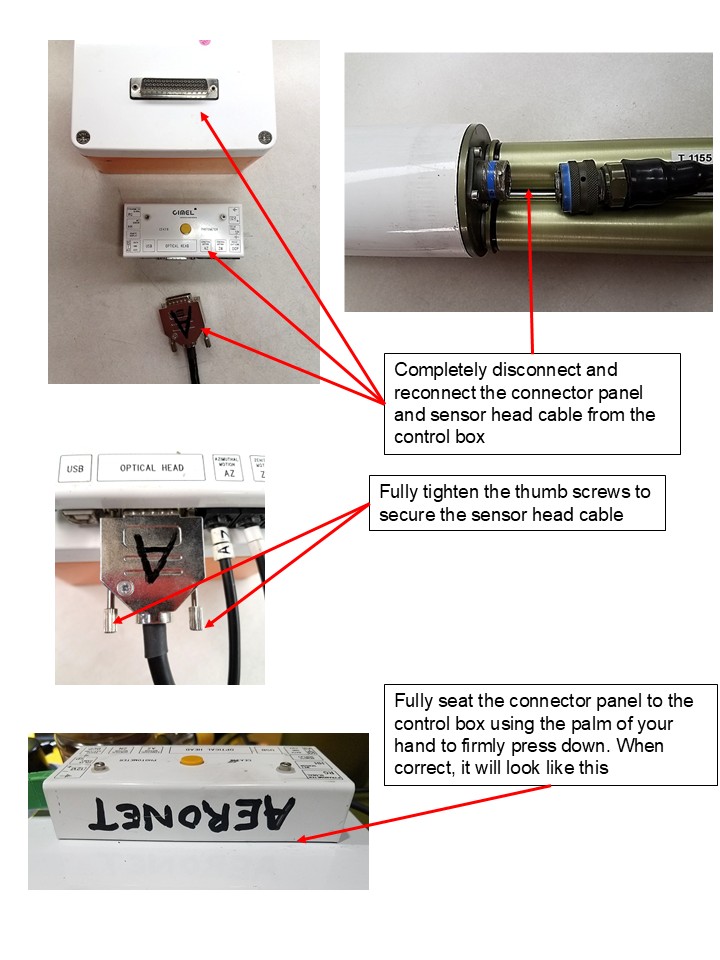
How To Check/Test Check cable for damage or corrosion on contacts (see External Reconnect.jpg)
Solution Level 1 (< 5 minutes) 1. Check/reseat the the connector panel and both ends of the sensor head cable (see External Reconnect.jpg)
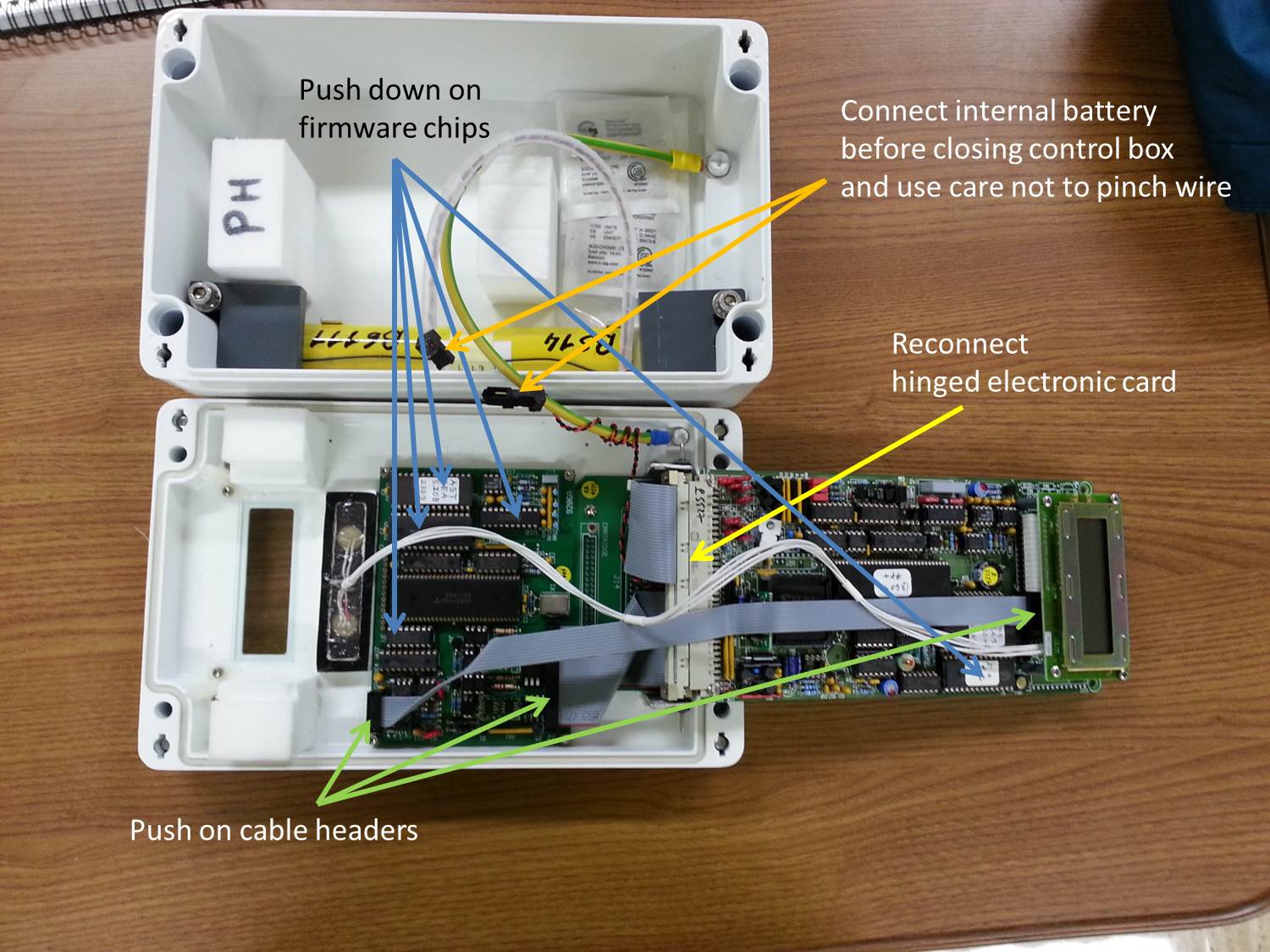
Solution Level 2 (more involved) Model 4 and 5: 1. Check/reseat internal connections (see Internal check control box.jpg) 2. Try a different cable and connector panel (if available).
Model T: 1. Try a different cable and connector panel (if available).
Solution Level 3 (last resort) 1. Replace sensor head cable. 2. Return instrument for maintenance.